REST API Integration
Use the RateMind REST API to manage surveys, pull feedback, and access analytics from your own code.
The RateMind API lets you do programmatically what the dashboard lets you do manually: create surveys, configure them, pull feedback, read topic extractions, and check analytics. It's a JSON-over-HTTPS REST API. Bearer-token authenticated. Scoped per account.
Available on the Business plan and above. See [Billing](/help/billing) for plan details.
Create your API key
Open API in the sidebar (under the Developers section).

Click Create API Key, give the key a name that tells you (or future-you) where it's used.
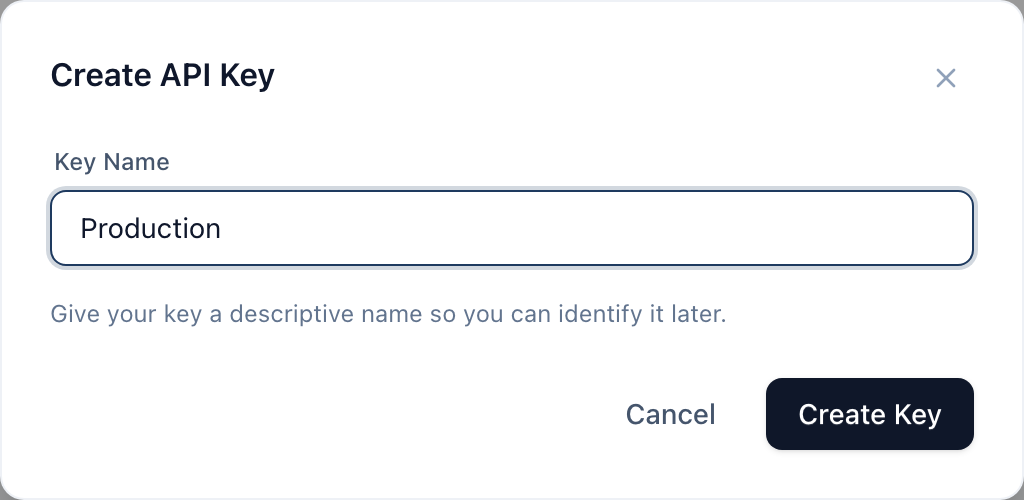
Hit Create Key. The full key value is shown exactly once — copy it immediately and store it somewhere safe (a password manager, your secrets vault, your env file). After you dismiss the success banner, only the prefix (sk_live_Ab...) is visible. We don't store the full key in plaintext, so we can't show it to you again.
If you lose the key, just create a new one and delete the old.
Naming conventions
A few patterns that work:
- By environment —
Production,Staging,Development - By integration —
Zapier,Internal CRM,Looker - By person — when you're prototyping locally (
Alice — dev)
The point is that when you see a key in the list six months from now, you should know what to do with it.
Authentication
Every request needs a bearer token in the Authorization header:
`
Authorization: Bearer sk_live_your_key_here
`
Example with curl:
`
curl https://app.ratemind.net/api/v1/surveys \
-H "Authorization: Bearer sk_live_your_key_here"
`
Each key is scoped to one account. If you have multiple accounts (e.g., agency model), you need one key per account. Resources returned are always filtered to the key's account — you can't accidentally read another account's data by guessing IDs.
Available endpoints
The full list with request/response shapes lives on the Documentation tab in the dashboard.
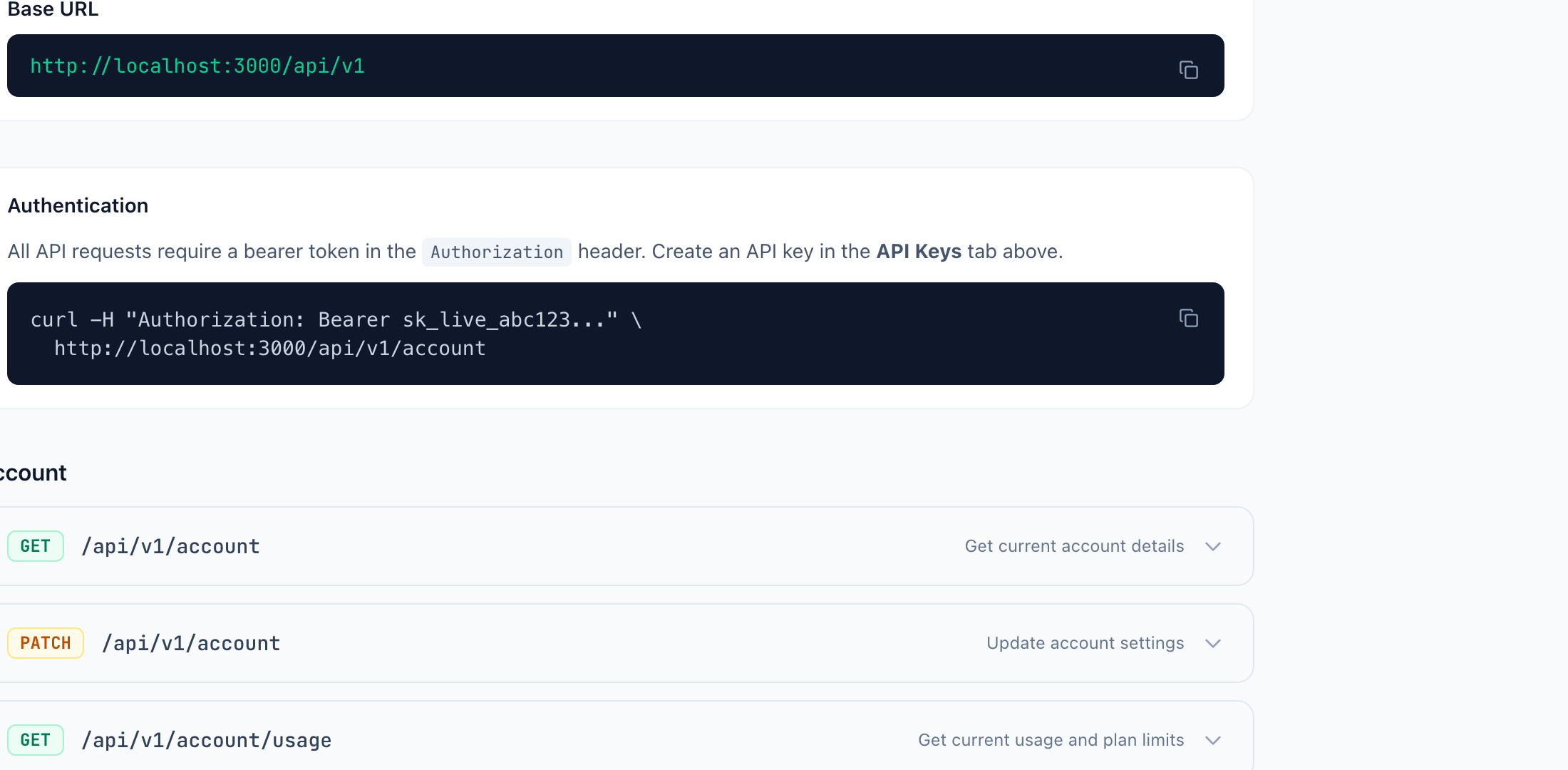
The endpoints are grouped by resource. Briefly:
Account
GET /api/v1/account— your account name, plan, current usage
Surveys
GET /api/v1/surveys— list all surveysPOST /api/v1/surveys— create a new survey (with questions in one call)GET /api/v1/surveys/:id— full survey details including questionsPATCH /api/v1/surveys/:id— update survey settings (welcome message, threshold, etc.)
Analytics
GET /api/v1/surveys/:id/analytics— KPIs (avg rating, response count, completion), rating distribution, daily trendGET /api/v1/surveys/:id/topics— extracted topics with mention count and average ratingGET /api/v1/surveys/:id/feedback— paginated feedback list with all answers
There's no endpoint to create or update feedback — feedback is always submitted by end customers through the survey UI. The API is for managing surveys and reading the results.
Key management
- Only account owners can create or delete API keys. Members cannot.
- You can create as many keys as you want. There's no hard limit.
- The Last Used column shows when each key was last used to authenticate a request. If a key shows "Never" for months, you probably don't need it anymore.
- Delete is instant. As soon as you confirm deletion, any request using that key returns 401 Unauthorized. There's no grace period.
Rate limits
The API enforces a per-key rate limit. If you exceed it, you get back HTTP 429 with a Retry-After header telling you how long to wait. Most applications don't get anywhere near the limit, but if you're doing bulk reads (pulling all feedback nightly), batch requests with reasonable pagination and add backoff on 429s.
Common integration patterns
A few things people actually build with this:
- Slack notifications — poll
/feedbackfor new low-rated entries, post them in a #cs channel - Looker/Metabase dashboards — pull
/analyticsdaily into your own BI tool, build cross-survey dashboards - Zapier/n8n flows — trigger on new feedback, run your own logic (create Linear issue from 1-star feedback, etc.)
- CRM sync — when a customer leaves feedback, attach the score and topics to their CRM record
What's next
- [Account Settings](/help/account-settings) — your SMTP config also affects deliverability of any system-triggered emails
- [Understanding Your Analytics](/help/analytics-dashboard) — what each metric the API returns actually means