Billing & Subscriptions
The three plans, what each one includes, and how usage limits are counted.
RateMind has three publicly-available plans: a free tier, a paid Growth plan, and a paid Business plan. The differences are mostly about volume — how many responses, surveys, and team members the plan supports.
Manage your subscription from Billing in the sidebar. The page shows your current plan, your usage for the month, and upgrade or downgrade options.
The plans
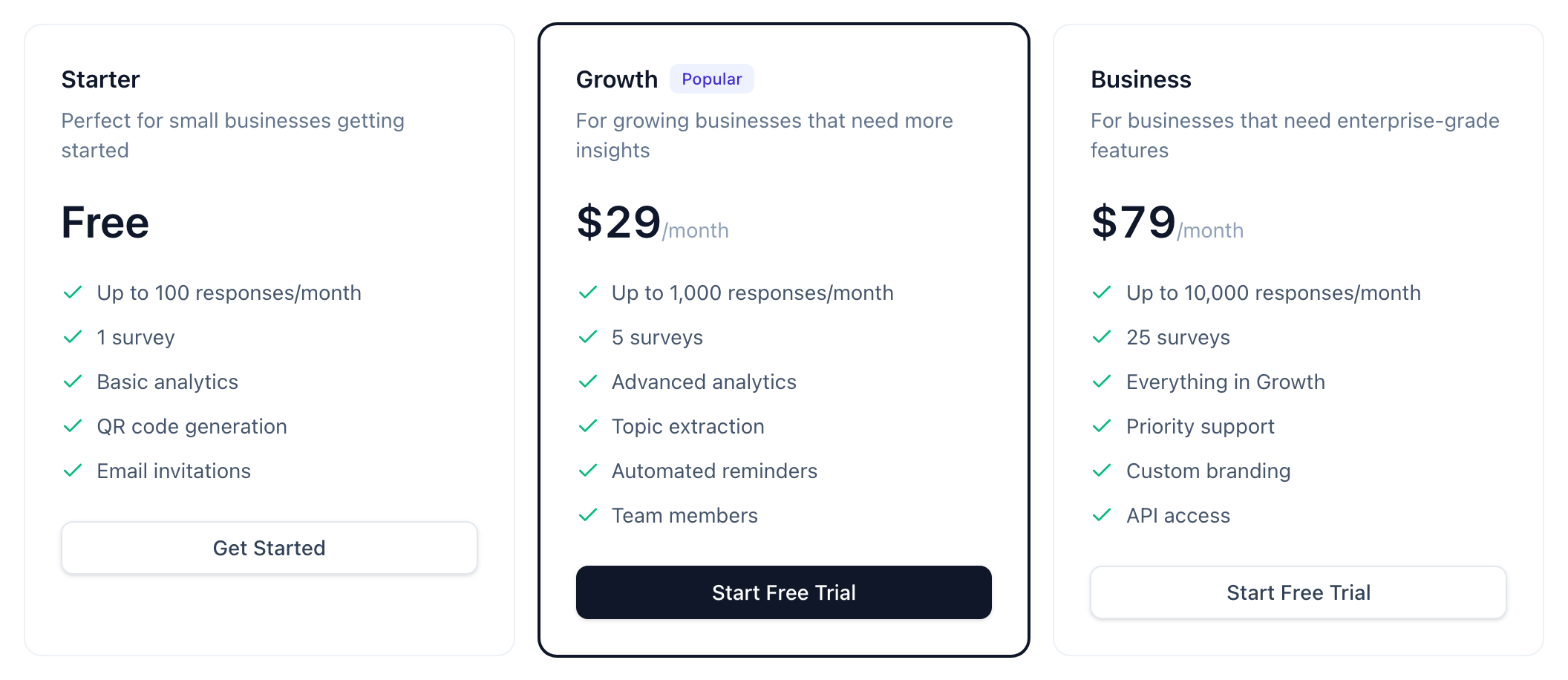
Starter — Free
- Up to 100 responses/month
- 1 survey
- 1 user (just you)
- QR codes and email invitations
- Basic analytics
The Starter tier is genuinely free, not a free trial. It's the right plan if you're testing RateMind on a single survey or running a low-volume operation (small café, single-practitioner service business). It limits you to one survey and one user — which is on purpose. If you outgrow either, that's the signal to upgrade.
Growth — $29/month (or $290/year)
- Up to 1,000 responses/month
- 5 surveys
- Up to 5 team members
- Everything in Starter plus: advanced analytics, topic extraction, automated reminders
The Growth plan is the default for most businesses. 1,000 responses/month covers a small-to-mid-sized restaurant, a regional service business, or any operation with consistent feedback volume. The 5-survey limit accommodates multiple locations or campaigns.
Yearly billing saves you two months ($290 vs $348).
Business — $79/month (or $790/year)
- Up to 10,000 responses/month
- 25 surveys
- Up to 25 team members
- Everything in Growth plus: priority support, custom branding, API access
Business is for multi-location operations, agencies managing many client surveys, or any business with high feedback volume. The [API access](/help/api-integration) lets you integrate RateMind into your own systems.
How usage is counted
This matters because over-limit behavior is strict.
- Responses are counted per calendar month, reset on the 1st. Every feedback submission counts as one response, regardless of how many questions it answers or which source (BCC, QR, direct link).
- Incomplete responses count too. Someone who lands on the survey, picks a rating, and exits is one response. The "completion" metric on your dashboard tells you what fraction completed vs. abandoned.
- Surveys counts active surveys. Archived/deleted surveys don't count.
- Team members counts everyone with access, including owners. The account creator is member #1.
If you hit your monthly response limit, new responses are still accepted but the customer sees a "this survey is currently unavailable" message instead of the rating prompt. No data is lost — once you upgrade or the month resets, the survey works again.
Changing plans
Upgrading is immediate. You pick the new plan, enter payment details, and the new limits apply right away. We prorate the first month so you're only charged for the portion of the month remaining.
Downgrading takes effect at the end of the current billing period. You keep the higher-tier features and limits until the period ends, then switch. This prevents you from accidentally losing access to surveys mid-month.
If you downgrade to a plan with a lower survey limit, surveys beyond the limit are frozen — they stop accepting new responses but the data stays accessible. Delete or archive surveys to bring yourself back under the limit.
Cancelling
Cancel from the Billing page → "Cancel Subscription". You'll be asked to confirm. Cancellation:
- Stops auto-renewal at the end of your current billing period
- Keeps your account fully active until the period ends
- Reverts to the Starter (free) plan after, *not* deletes your account
- Surveys beyond the Starter limit are frozen, not deleted
To delete an account entirely, open its Settings → Danger zone → Delete account (owners only). This closes the account, cancels the subscription at the end of the current billing period, and schedules all data for permanent erasure after a 30-day grace period. You can restore the account from "Closed accounts" during those 30 days; afterwards the erasure is irreversible.
Refunds
Per our terms, we don't refund partial months. If you cancel a yearly subscription mid-year, you keep access for the full year you paid for and don't get a prorated refund.
If something genuinely went wrong (we charged you twice, you cancelled and got billed anyway), email us — those are mistakes and we'll fix them.
What's next
- [Account Settings](/help/account-settings) — configure your own SMTP server to remove the shared-server email cap
- [Managing Your Team](/help/team-management) — add team members within your plan's limit