Managing Your Team
Invite teammates with the right access — what each role can do and how invitations work.
RateMind accounts can have multiple users. This is the page where you invite them and set what they can see.
Open it from Team in the sidebar.
The two roles
There are exactly two roles. They're intentionally coarse — the goal is "obviously safe" rather than fine-grained.
- Owner — full access to everything. Can edit surveys, read feedback, change account settings, manage billing, invite or remove team members, and delete the account. Anyone you'd trust with the keys to the business.
- Member — can view and manage surveys and feedback, but cannot touch billing, account settings, or team membership. The right role for operations staff, managers, support team members — anyone whose job is *working with feedback* but not *administering the account*.
There is no read-only role today. If you need someone to see feedback without being able to edit surveys, the safest workaround is to give them their own account on the [Starter plan](/help/billing) and share specific reports manually.
Invite a teammate
Click Invite Member at the top right.

The invite modal opens. Fill in their email address and pick a role.
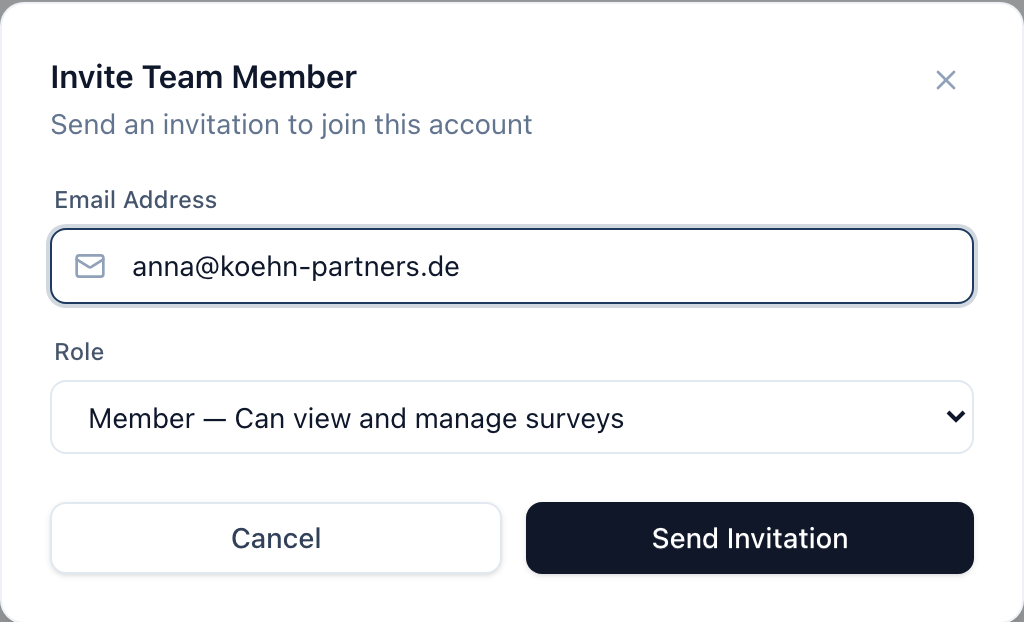
Hit Send Invitation. RateMind emails them a link. When they click it, they're prompted to sign up (or sign in, if they already have a RateMind account on another email) and accept the invitation.
A few practical notes:
- Invitations don't expire by default. If they sit on it for a month, the link still works.
- One invitation per email per account. Sending a second invitation to the same address just resends the same one.
- They show up on the team list once they accept, not when invited. Invitations awaiting acceptance are visible in the team list as "pending" (when the list view ships — see below).
Account ownership
You can have multiple owners. Most accounts only need one, but if you have a business partner or a senior teammate, making them an owner gives them the same admin power you have.
- You cannot remove yourself from your own account. If you want to leave, transfer ownership first by making someone else an owner, then ask them to remove you.
- The last owner cannot be demoted or removed. RateMind requires at least one owner on the account at all times.
Changing or removing access
Click a member's row to open their access settings. Owners can:
- Change their role (Member ↔ Owner)
- Remove them from the account entirely
Removal is immediate — they lose access on the next page load. Existing surveys and feedback they created stay on the account; they're attributed to the *account*, not the individual.
What teammates can and can't see
A note on data visibility, since this gets asked:
- Customer emails are still masked for all team members — even owners. The encryption-at-rest model means no one in your dashboard sees the full address. See [Account Settings → privacy](/help/account-settings#data-and-privacy).
- Feedback content (ratings, comments, topics) is fully visible to both roles.
- Account settings, SMTP credentials, and billing are visible only to owners.
What's next
- [Account Settings](/help/account-settings) — business name, branding, SMTP server
- [Billing & Subscriptions](/help/billing) — plan limits and how usage is counted across the team