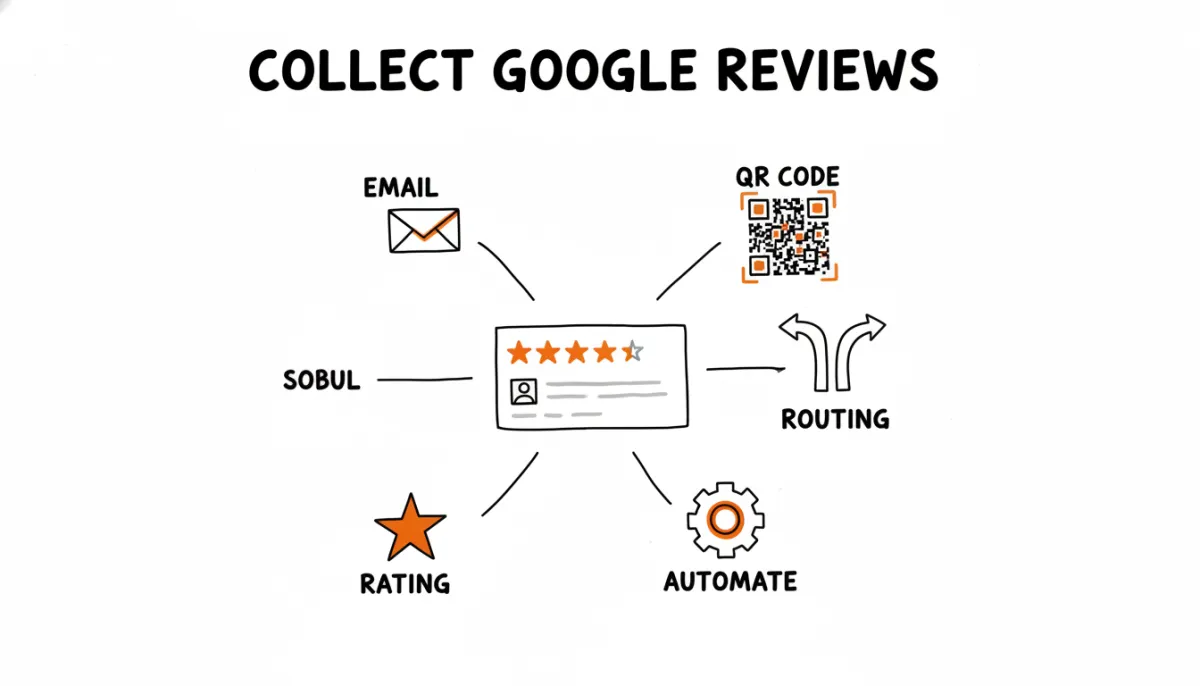
Google reviews are the single most visible trust signal for local businesses. When someone searches for a restaurant, a plumber, or a dentist, the first thing they see is the star rating and the review count. A business with 180 reviews at 4.7 stars gets clicked. A business with 6 reviews at 3.8 gets skipped.
The problem most businesses run into isn't that customers don't want to leave reviews. It's that leaving a review requires effort, and most people won't do it unless you make it easy and ask at the right time.
This article covers what actually works for collecting Google reviews, what gets your reviews removed, and how to build a system that brings in new reviews every week without manual follow-ups. If you want the short version: RateMind automates the whole process. Ask for a rating, route happy customers to Google, catch complaints privately.
Why Google Reviews Matter More Than Other Platforms
Google isn't just a review platform. It's where people decide which business to visit. When your Google Business Profile shows up in the local pack (the map results at the top of a search), three things determine whether someone clicks on you or the business below:
- Star rating. A 4.6 looks meaningfully different from a 4.2 when three businesses are side by side.
- Review count. 240 reviews signals an established business. 9 reviews signals "maybe they just opened, maybe something's off."
- Recency. A most-recent review from three months ago looks stale. A review from yesterday signals an active, operating business.
Google also uses review signals as a ranking factor for Maps. More reviews, higher ratings, and consistent review velocity all contribute to better positioning. So collecting reviews isn't just about social proof. It directly affects whether customers find you in the first place.
Get Your Google Review Link Ready
Before anything else, you need a direct link to your Google review page. Don't make customers search for your business on Google and navigate to the review section themselves. Every extra step loses people.
We have a separate guide on how to find your Google review link. The short version: go to your Google Business Profile, look for "Ask for reviews," and copy the short URL. It takes customers directly to the review form with your business pre-selected.
Five Methods That Work
1. Ask right after a positive interaction
The strongest predictor of whether someone leaves a review is how recently they had the experience. A customer who just finished a great meal is far more likely to write something than a customer you email two weeks later asking "how was your visit?"
For in-person businesses, this means asking at the point of sale or checkout. Not a script, just a natural mention: "If you have a minute, we'd really appreciate a Google review." Hand them a card with a QR code or text them the link while they're still in front of you.
2. Email after service
If you email customers anyway, whether order confirmations, invoices, or appointment follow-ups, you already have the channel. Add a review request to your post-service email, or send a separate short email a few hours later.
Keep the email short. One sentence about their recent visit, one link. Don't bury the review link three paragraphs into a newsletter. Don't combine it with a promotional offer. Just a clean ask.
If sending these one by one is more than you want to manage, RateMind can send the review request for you and route happy customers straight to your Google link, so the right people land on the review page without you chasing anyone.
3. QR codes at physical locations
Print a QR code that links to your Google review page and put it where customers naturally pause: on the receipt, on a table tent, next to the register, on the back of a business card. The scan rate won't be high (1-3% typically), but it adds up over weeks and months.
The key is placement. Put the QR where customers are already looking and already done with their experience. The bottom of a receipt works. A sticker on the entrance door doesn't, because they haven't experienced anything yet.
You don't have to design the code yourself. RateMind generates a printable QR code for every survey, ready to drop onto a receipt, a table tent, or a card by the register.
4. BCC email method
This is the lowest-effort approach if you email customers regularly. Add a special BCC address to your outgoing emails, and an automated system sends a feedback request to the customer after a configurable delay. No new tools, no workflow changes, no training your team on a new process.
The BCC method works particularly well because it catches every customer you email, not just the ones you remember to follow up with.
5. Text message with the direct link
SMS has the highest open rate of any channel. If you already text customers (appointment reminders, delivery updates), adding a review link to a follow-up text after service is natural. Keep it to one or two sentences. Don't send it to people who didn't opt in to texts from you.
What Doesn't Work (and What Gets Reviews Removed)
Google has clear policies on reviews, and violating them can get reviews stripped or your profile penalized.
- Don't offer incentives. No "leave a review and get 10% off." Google prohibits incentivized reviews and will remove them if flagged. Yelp is even stricter, but Google enforces this too.
- Don't buy reviews. Fake review services get caught eventually. Google's detection has gotten aggressive. Bulk removals happen regularly, and some businesses have lost hundreds of reviews overnight.
- Don't use review kiosks in your store where customers leave reviews on your device. Google flags reviews that come from the same IP address or device. Multiple reviews from one location in a short window look suspicious.
- Don't ask only happy customers. Google's guidelines technically prohibit "review gating," which means selectively sending only satisfied customers to leave reviews. The intent is that review collection should be open to everyone.
That last point is worth understanding. Google doesn't want you filtering who gets to leave a public review. But there's a difference between filtering reviews and asking customers for feedback first. More on that below.
The Problem with Sending Everyone to Google
Here's the thing most businesses discover after a few months of actively collecting reviews: unhappy customers are more motivated to write than happy ones. When you send every customer to your Google page, the satisfied ones might leave a quick 5-star rating. But the dissatisfied ones write paragraphs. And one detailed 1-star review can move your average more than five generic 5-star reviews.
The result is a frustrating pattern: you invest effort into collecting reviews, your review count goes up, but your average rating drifts sideways or down. The negative reviews that show up are often about issues you could have fixed if you'd heard about them first.
A Better Approach: Ask for Feedback First
Instead of sending every customer directly to Google, ask them a simple question first: "How was your experience?" with a 1-5 rating. Then route based on the answer.
Customers who rate you 4 or 5 stars clearly had a good experience. Send them to your Google review page, since they're the ones most likely to leave a positive, genuine review. Customers who rate 1-3 stars are telling you something went wrong. Show them a private feedback form where they can tell you what happened. You hear about the problem, you can fix it, and the complaint doesn't become a public review.
This isn't review gating. You're not preventing anyone from leaving a Google review. You're collecting feedback from everyone and routing happy customers to the platform where their experience is most useful.
How RateMind Automates This
This is exactly what RateMind does. You create a survey, paste your Google review link, set your rating threshold, and share it with customers via email BCC, QR code, or direct link.
When a customer clicks the link, they see a simple rating prompt. If they rate 4+ stars, they land on your Google review page. If they rate lower, they see a private form where you can ask follow-up questions about what went wrong.
The setup takes about five minutes. After that, reviews come in on their own. You don't need to manually follow up, remember to send links, or worry about negative feedback going public before you've had a chance to address it.